Long gaming sessions make every phone warm, and that is normal. The trouble starts when it becomes uncomfortably hot: frame rates drop, brightness dims and, over months, the battery wears out faster. This guide explains how to stop your phone overheating while gaming using advice from Google, Apple and Samsung’s own support pages.
Why phones get hot when you play games
Modern games push the processor and graphics chip hard, and the screen is usually at high brightness. All that work turns into heat. Google’s Pixel help page lists playing games as a normal reason for warmth – and adds that doing it while charging makes it worse.
When a phone gets too hot, it protects itself. Depending on the model, it may reduce processor speed, slow or stop charging, dim the display, weaken mobile signal or show a temperature warning. Apple describes the same kind of behaviour on its iPhone temperature support page.
Pro tip: If your game runs smoothly for the first 15–20 minutes and then starts stuttering, heat is usually the cause – not your internet.
10 ways to stop phone overheating while gaming
1. Don’t charge while playing
Charging creates heat on its own, and gaming adds more on top. Charge before your session or during a break. If you really must play while plugged in, stick to lighter games and use the charger and cable approved for your phone.
2. Take off thick or tight cases
Cases can trap heat. Samsung suggests removing the case to improve airflow when the phone heats up, and Apple notes that charging inside certain styles of cases can generate excess heat. If your phone gets hot, slip the case off for long sessions.
3. Lower screen brightness
The display is one of the biggest power users. Dropping brightness a few steps – or letting adaptive brightness handle it indoors – reduces both heat and battery drain. Play indoors rather than in bright sunlight, where you’d need full brightness anyway.
4. Cap your frame rate and graphics
Higher FPS and “Ultra” graphics make the chip work harder. Choose a frame-rate setting your phone can hold comfortably, and lower heavy effects like shadows and anti-aliasing. A steady, slightly lower frame rate runs cooler and often feels smoother than a high one that keeps dropping.
5. Use your phone’s game mode or battery saver
Most phones have a game space, game booster or game mode with a power-saving option. On Android, the built-in Game Mode (from Android 12 on selected devices) offers a Battery saver option for supported games, and Samsung’s Game Booster lets you choose between performance and saving power.
Samsung’s overheating guide also recommends Power saving mode, which on Galaxy phones limits CPU speed and turns off 5G at the time of writing. You trade a little performance for a cooler phone.
6. Close background apps and turn off what you don’t need
Apps running in the background, mobile hotspot, GPS and Bluetooth all add load. Close unused apps and switch off features you aren’t using. Avoid letting big downloads or updates run while you play.
7. Prefer Wi-Fi over mobile data
Google’s Pixel guidance suggests using Wi-Fi instead of mobile data where possible. A weak mobile signal makes the modem work harder, which adds heat – so a strong home Wi-Fi connection helps temperature as well as ping.
8. Play somewhere cool
Apple says iPhones are designed for use in ambient temperatures between 0°C and 35°C. Indian summers can easily go beyond that, so play under a fan or in an air-conditioned room, and never leave your phone in a parked car or direct sun.
9. Hold it so heat can escape
Gripping the phone tightly with both palms over the back, or gaming under a blanket, keeps heat in. Hold it by the edges where possible, or use a stand with a controller so air can reach the back.
10. Take regular breaks
Even with every setting right, a long session will warm the phone. A short break every 30–45 minutes gives the phone time to cool down – and is good for your eyes and hands too.
Do phone coolers and cooling fans help?
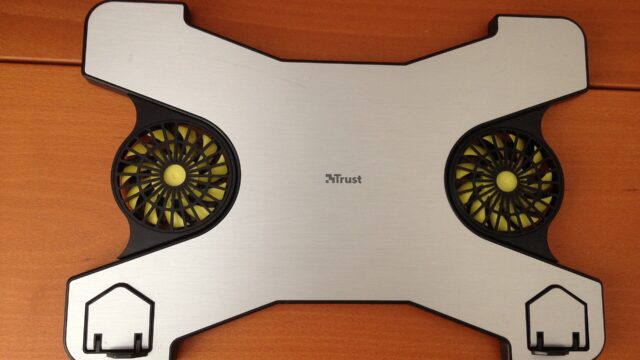
Clip-on coolers that blow air or use a cooling plate on the back can lower surface temperature during long sessions. Some phone makers sell official coolers for their gaming phones – ASUS’s ROG Phone accessories are one example.
If you buy one, choose an official accessory or a reputed brand, and avoid unknown products that clamp tightly or block the phone’s speakers and antennas. Never put the phone in a fridge or freezer to cool it – sudden temperature changes can cause condensation inside.
Protecting battery health as a gamer
- Heat is the battery’s biggest enemy. Apple warns that ambient temperatures above 35°C can permanently damage battery capacity.
- Avoid gaming while fast charging; let the phone cool before plugging in again.
- Use the original charger or a certified one – both Samsung and Google stress approved chargers and cables.
- Check your phone’s battery settings for a charge-limit or battery-protection option, which many recent phones include.
- Don’t regularly run the battery to 0% during long sessions.
Pro tip: If your phone shows a temperature warning, stop playing, unplug it, take off the case and leave it somewhere cool until it returns to normal.
When to stop and when to get help
Google’s advice is clear: if your phone is too hot, disconnect it from power, move it to a cooler place and don’t use it until it has cooled down. Stop immediately if the phone shows a heat warning, shuts down by itself or is too hot to hold comfortably.
If it overheats during light use, the battery looks swollen, or the back panel is lifting, stop using it and visit the brand’s authorised service centre. These are hardware problems that no setting can fix.
Read also: How to Reduce Lag in Mobile Games: Fix High Ping and Frame Drops · Online Gaming Safety Tips: Protect Your Account, Money and Family
Frequently asked questions
Is it bad to play games while charging?
It isn’t dangerous with an approved charger, but it produces extra heat, and heat wears out the battery faster. Google lists gaming while charging as a common reason phones get hot, so it’s better to charge before or between sessions.
What temperature is too hot for a phone?
Apple says iPhones are designed for ambient temperatures between 0°C and 35°C. Your phone will warn you or limit features when its internal temperature gets too high – stop playing if you see that warning.
Does removing the phone case reduce heat?
Often, yes. Samsung recommends taking the phone out of its case to improve airflow when it heats up, and Apple says certain cases can cause excess heat while charging.
Do mobile cooling fans damage the phone?
A good quality cooler used as directed is generally fine. Choose an official or reputed accessory, avoid ones that block antennas or speakers, and never cool a phone in a fridge.