Every phone launch promises “flagship gaming”, so it is easy to get lost in numbers. This guide on how to choose a gaming phone explains what each spec really does in a game, which ones are worth paying for and which are mostly marketing.
We will not name a single “best” phone here, because models and prices change every few months. Instead, you will learn how to read a spec sheet yourself, so you can judge any phone in any budget.
How to choose a gaming phone: start with the processor
The processor, or SoC (system on a chip), holds the CPU, the GPU (graphics), the modem and more. For games, the GPU matters most, because it decides how many frames per second (FPS) you get at a given graphics setting.
Chip makers such as Qualcomm (Snapdragon), MediaTek (Dimensity), Samsung (Exynos), Google (Tensor) and Apple (A-series) sell chips in clear tiers. Think of them like this:
| Tier | What to expect in games |
|---|---|
| Flagship chips (latest top series) | High or max graphics in demanding 3D games, high FPS modes where the game supports them, longest useful life |
| Upper mid-range chips | Smooth play at medium to high settings; good value for most gamers |
| Mid-range chips | Popular games run well at balanced settings; heavy 3D titles need lower graphics |
| Entry-level chips | Casual and lighter games are fine; competitive shooters may need low settings |
A newer mid-range chip can beat an old flagship chip, so always check the chip’s launch year, not just its series name. Watching a few long gameplay tests from reliable reviewers tells you more than a single benchmark score.
Pro tip: Search for “[phone name] 30-minute gameplay test”. Short benchmark runs hide heat problems that only show up after 15–20 minutes of play.
RAM and storage type (UFS)
RAM keeps the game and your background apps loaded. More RAM means you can switch to WhatsApp and come back without the game reloading. For most players, a sensible amount for the price segment matters more than chasing the highest number.
Storage type is often more important than storage size. Most Android phones use UFS (Universal Flash Storage), a standard published by JEDEC. Newer UFS versions read and write data faster, which means shorter loading screens and quicker installs. Budget phones may still use slower eMMC storage.
- Check the exact UFS version on the official spec page – newer versions (UFS 3.x, 4.x) are faster than older ones.
- Big games and their updates take a lot of space, so leave room for several titles plus your photos.
- “Virtual RAM” or “RAM extension” uses storage as extra memory; it helps a little with multitasking but is much slower than real RAM.
Display: refresh rate and touch sampling rate
The refresh rate (in Hz) is how many times per second the screen updates. A 120 Hz display can show up to 120 frames per second, while a 60 Hz screen caps what you see at 60, even if the game runs faster.
But a high refresh rate only helps if the game itself supports high FPS modes on that phone. Many popular games limit FPS options by device, and these limits can change with updates, so check the game’s graphics settings or official FAQ before buying for one specific title.
The touch sampling rate is how often the screen checks for your finger. A higher rate can make taps and swipes register a little sooner, which helps in shooters and rhythm games. Note that brands sometimes quote a short “burst” or “instant” figure rather than the normal rate.
- Panel type: AMOLED/OLED gives deep blacks and strong contrast; good LCDs can also be fine for gaming.
- Brightness: matters if you play outdoors.
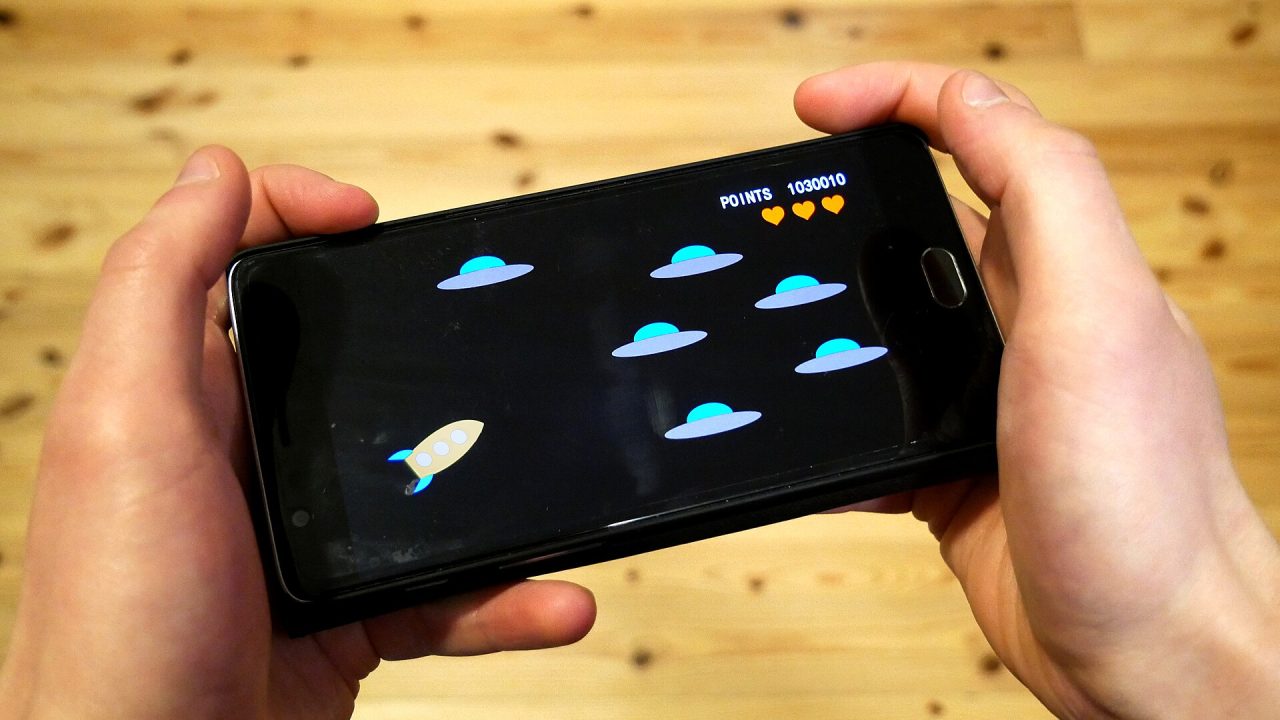
- Size and grip: a bigger screen shows more detail, but make sure you can hold it comfortably in landscape for long sessions.
Cooling and sustained performance
Every phone gets warm in long sessions. When it gets too hot, the chip reduces its speed to protect itself. This is called thermal throttling, and it shows up as FPS drops after you have been playing for a while.
Brands advertise vapour chambers, graphite sheets and “liquid cooling”. These help, but the real test is how stable the FPS stays over a long match. A phone that holds steady performance is better for gaming than one that starts fast and then slows down.
Pro tip: Removing a thick case and avoiding playing while fast-charging both help any phone stay cooler and run smoother.
Battery and charging
Games use the screen, the GPU and the network at the same time, so they drain the battery quickly. A large battery capacity (in mAh) is a good start, but chip efficiency matters too – an efficient chip can last longer on a smaller battery.
- Look for battery tests that include gaming, not just video playback.
- Fast charging is handy, but charging generates heat. Some phones offer a “bypass charging” style mode that powers the phone directly while gaming; check if your model has it.
- Use the charger and cable the brand recommends for the advertised speed.
Software updates and the gaming extras
A gaming phone should stay safe and compatible for years. Check how many years of Android version and security updates the brand officially promises for that model. You can always see your current version and security patch date under Settings › About phone › Android version.
Extras like a game mode, notification blocking, shoulder triggers, stereo speakers, a headphone jack and good haptics are nice to have. Treat them as tie-breakers after the basics are sorted, not the main reason to buy.
Choosing by budget tier
| Budget tier | Focus on | Be realistic about |
|---|---|---|
| Entry level | A recent chip, 90–120 Hz display, enough storage, big battery | Heavy 3D games at low settings |
| Mid-range | Upper mid-range chip, UFS storage, AMOLED 120 Hz, good cooling | Max settings in the most demanding games |
| Upper mid / value flagship | Strong GPU, fast UFS, stable long-session FPS, longer update promise | Some heat in long sessions |
| Flagship | Top chip, best sustained performance, longest software support | Paying extra for features you may not use |
Whatever your budget, buy from official brand stores or trusted retailers, keep the bill for warranty, and install games only from Google Play or the App Store.
Pro tip: Write down the 2–3 games you play most, then check each phone’s real gameplay tests for those games. That beats any spec-sheet comparison.
Quick checklist before you buy
- Chip tier and launch year
- RAM amount and UFS storage version
- Refresh rate, plus whether your favourite games support high FPS on it
- Long-session gameplay tests for heat and FPS stability
- Battery life in gaming tests and charging heat
- Official years of software and security updates
Read also: Minecraft Beginner Guide: Survive Your First Day and Night · Gaming Terms Glossary: 60 Words Every Beginner Should Know
Frequently asked questions
Is more RAM always better for gaming phones?
Not always. Enough RAM keeps games from reloading when you switch apps, but beyond that, the processor’s GPU, cooling and storage speed affect gaming far more.
Do I need a 120 Hz or 144 Hz screen for gaming?
A high refresh rate makes games and scrolling look smoother, but you only get the full benefit if the game supports high FPS on your phone. Check the game’s graphics settings for supported frame rates.
What is UFS storage and why does it matter?
UFS is a fast flash storage standard used in most modern phones. Newer UFS versions load games, maps and updates faster than older versions or eMMC storage.
Why does my phone lag after 20 minutes of gaming?
That is usually thermal throttling. As the phone heats up, the chip slows down to stay safe. Better cooling, removing the case and lowering graphics settings can help.