Valorant is Riot Games’ free-to-play 5v5 tactical shooter, and it rewards patience more than raw reflexes. One life per round, a spike to plant or defuse, and agents with abilities that can win a fight before a shot is fired. This Valorant beginner guide walks you through the things new players usually get wrong: the PC setup and Vanguard, picking a role, spending credits, aiming and talking to your team.
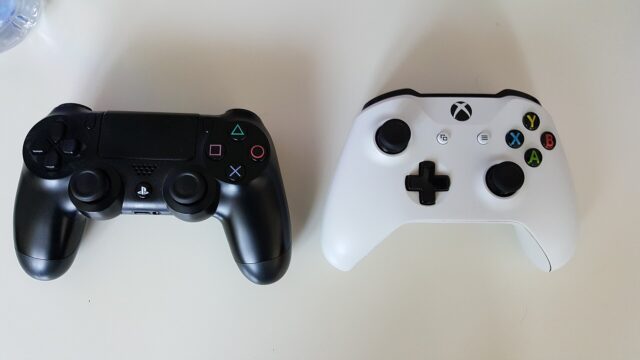
Valorant launched on Windows on 2 June 2020, and versions for PS5 and Xbox Series X|S followed in 2024. Console players are matched separately and do not crossplay with PC, according to Wikipedia’s summary of Riot’s announcements. Specs, rules and menus below are as they were at the time of writing, so check Riot’s support site for updates. New to shooter words like peek or rotate? Keep our gaming terms glossary open in another tab.
Will Valorant run on your PC? Riot’s official specs
Riot’s support page lists three tiers. RAM is the same for all of them: 4 GB, plus at least 1 GB of video memory if you use a dedicated graphics card. You need 64-bit Windows 10 (build 19041 or later) or Windows 11, DirectX 11 support and a CPU with SSE 4.2 or AVX. ARM processors are not supported.
| Tier (target) | CPU | Graphics |
|---|---|---|
| Minimum (30 fps) | Intel i3-540 / AMD Athlon 200GE | Intel HD 4000 / AMD Radeon R5 220 |
| Recommended (60 fps) | Intel i3-4150 / AMD Ryzen 3 1200 | NVIDIA GeForce GT 730 / AMD Radeon R7 240 |
| High-end (144 fps) | Intel i5-9400F / AMD Ryzen 5 2600X | NVIDIA GTX 1050 Ti / AMD Radeon R7 370 / Intel Arc A310 |
Riot also states that Valorant does not support cloud gaming or virtual machines, so you need to run it on your own Windows PC (or a console). If your machine is near the minimum tier in this Valorant beginner guide table, our guide to gaming on a low-end laptop covers power settings, drivers and cooling.
Vanguard, TPM 2.0 and Secure Boot on Windows 11
Valorant installs Riot Vanguard, Riot’s anti-cheat software. It includes a kernel-mode driver and usually starts when your PC boots. Riot requires it to stay active while you play, and its Vanguard support page notes that if you turn Vanguard off, you will usually need to restart the PC before you can play again.
On Windows 11, Riot’s spec page adds two more requirements: TPM 2.0 and UEFI Secure Boot. If either is missing or switched off, Vanguard cannot run and the game will not launch. Check both before you blame your internet or reinstall:
- Press Windows + R, type
tpm.mscand press Enter. Microsoft says the Specification Version should read 2.0. A “Compatible TPM cannot be found” message usually means it is switched off in firmware. - Press Windows + R, type
msinfo32and look at Secure Boot State. It should say On, with BIOS Mode shown as UEFI. - If something is off, the setting lives in your PC’s UEFI (BIOS) menu, often under names like Intel PTT or AMD fTPM. Follow your laptop or motherboard maker’s support page.
Tip: Firmware menus differ by brand. If you are unsure, ask the manufacturer’s support or a trusted technician rather than changing settings at random.
Valorant beginner guide to the four roles
Every agent belongs to one of four roles. You can win with any of them, but each asks for a different habit.
| Role | Main job | Good first habit |
|---|---|---|
| Duelist | Enters sites first and takes opening fights | Ask for a flash or recon before you push |
| Initiator | Reveals enemies and sets up pushes and retakes | Use your info ability, then say what it found |
| Controller | Blocks sightlines with smokes and similar tools | Learn two or three smoke spots per map |
| Sentinel | Locks down a site and watches flanks | Place traps, then stay alive to hold them |
For a first week, a Sentinel or Controller is a kind choice. They teach you map positions and timing, and they matter even when your aim is shaky. In this Valorant beginner guide we suggest learning one agent per role over time, so you can fill gaps when your team needs it. New agents are earned with Kingdom Credits from playing; Valorant Points cost real money and are mainly for cosmetics, so there is no need to spend to learn the game.
Economy basics: when to buy and when to save
Each round opens with a short buy phase. You earn credits for winning or losing rounds, for kills and for objectives such as planting the spike, and you spend them on weapons, shields and abilities. The key idea is that your whole team should buy together.
- Full buy: everyone can afford a rifle, shields and abilities. Do it together.
- Save (eco): after a lost round with low credits, buy little or nothing, so the next round can be a full buy.
- Don’t force alone: one player with a rifle and four with pistols usually loses both this round and the next.
- Check the scoreboard in the buy phase to see teammates’ credits, and copy the team’s plan.
Crosshair placement: the habit that matters most
Valorant punishes running while shooting, and headshots do the most damage. The single best habit is crosshair placement: keep your crosshair at head height and aimed at the corner where an enemy is likely to appear, before you see them. Then you only need a tiny adjustment instead of a big flick.
- Stop moving before you shoot; tap or burst instead of holding the trigger at range.
- Keep the crosshair off the floor while walking around the map.
- Spend ten minutes in the in-game practice Range before ranked play.
- Choose a simple, clearly visible crosshair colour and stop changing it every day.
A stable frame rate makes all of this easier. Our explainer on FPS, refresh rate and ping explains which numbers matter for shooters.
A simple plan for your first week
- Day one: finish the tutorial and get used to weapon recoil in the Range.
- Next few days: play one agent in lower-pressure modes such as Unrated or Swiftplay.
- After each match, ask one question: where and how did I die most?
- Learn one map’s site names (A, B, mid) and its common callouts.
- Try ranked only once you are eligible and comfortable; until then, judge habits, not results.
Comms and playing calmly with strangers
Good comms are short and useful: how many enemies, where, and how hurt. “Two B main, one is low” helps more than a long story after you die. If you don’t use a mic, the in-game ping system still lets you mark enemies and spots.
Mute anyone who is abusive and use the in-game report tools. Never buy, share or sell accounts, and avoid any “booster” or cheat offer. Riot’s rules ban them, and they put your money and account at risk. Our online gaming safety tips explain how to protect your account. Finally, take breaks between matches. If you remember one line from this Valorant beginner guide, make it this: a calm head wins more rounds than a tilted one.
Frequently asked questions
Is Valorant really free?
Yes. The game is free to play. Valorant Points can be bought for cosmetics, and agents can be earned with Kingdom Credits earned through play.
Why does Valorant need TPM 2.0 and Secure Boot?
Riot’s spec page lists TPM 2.0 and UEFI Secure Boot as requirements on Windows 11. They support Riot Vanguard, the anti-cheat that must be active while you play.
Can I play Valorant on a cloud gaming service?
No. Riot’s support page states that Valorant does not support cloud gaming or virtual machines at the time of writing.
Which role is best for a beginner?
Any role works, but many new players find a Sentinel or Controller easier to learn because they teach map positions and still help the team when aim is not perfect.